Evoto AI Lab vs Kumoo vs Magimir vs Foneo: Which AI Photo Editor Should You Use?
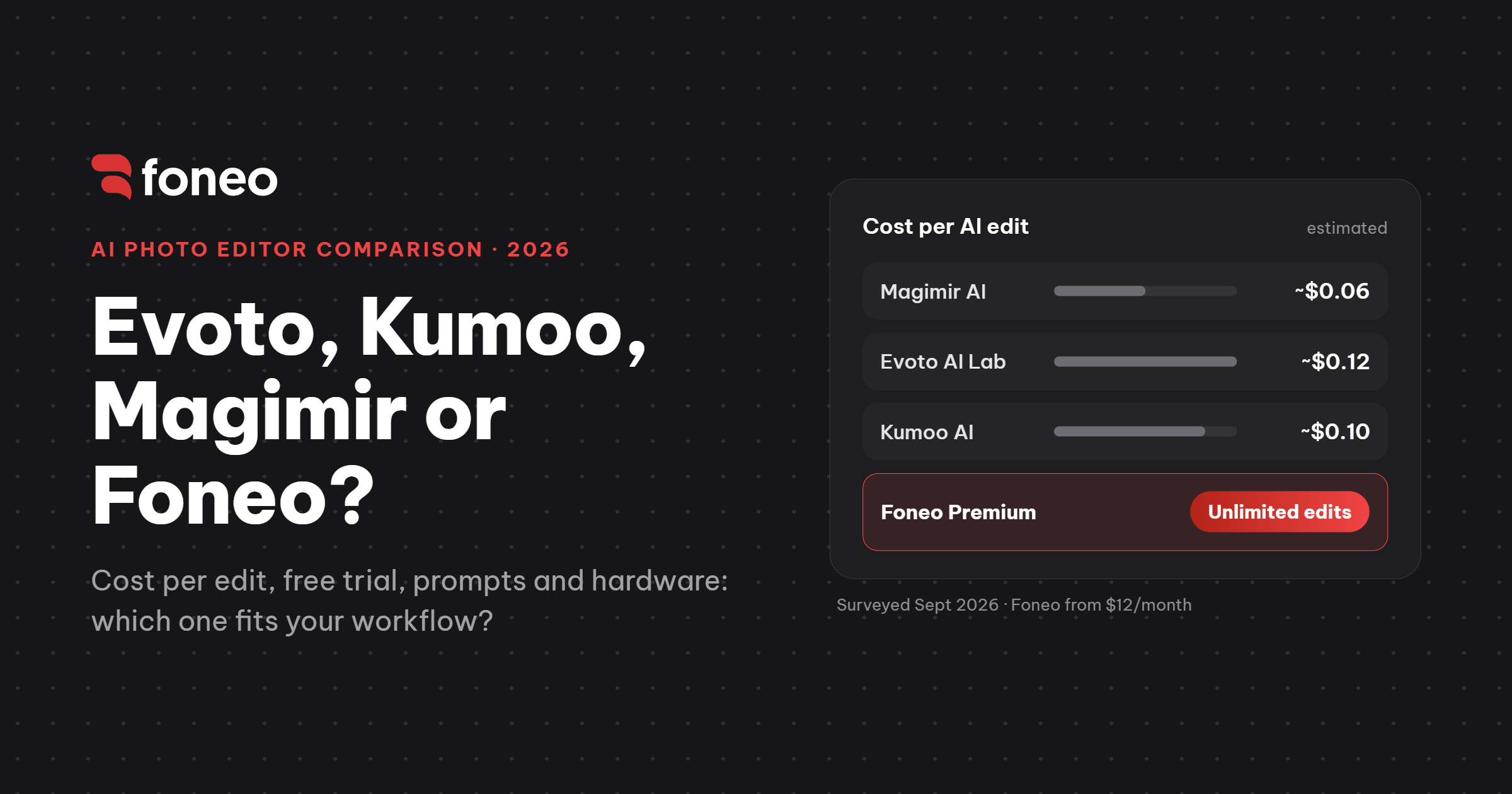
Updated September 27, 2026 · By Nguyen Hoang Phuc, retoucher and founder of Foneo. Foneo is our product. The comparison data comes from a hands-on survey by Hoang Phuc Photo (September 2026, in Vietnamese) and the public pricing on foneoai.com.
Evoto, Kumoo and Magimir all started as portrait retouching tools and have been adding generative AI features over time. Foneo went the other way: it takes generative AI workflows that are normally complex to set up and packages them as one-click tools. So the biggest difference between these four apps is not how many AI buttons they have. It is how you pay: the first three charge per use, while Foneo is a monthly or yearly plan with unlimited processing.
What this comparison covers
We only compare the generative AI features: tools that recreate or generate image content, such as removing people and rebuilding the background, relighting, replacing backgrounds, restoring old photos, changing outfits, adding or removing objects, and enhancing detail. RAW editing, color grading, classic skin retouching, tethered shooting and photo management are out of scope.
That means the table below does not represent everything Evoto, Kumoo or Magimir can do. Kumoo also offers Portrait Retouch, Color Adjustment, Clothing Retouch and Tethered Shooting. Magimir has a full retouching and batch workflow for studios. Evoto AI Lab is only one set of tools inside the wider Evoto app.
Quick comparison table
Generative AI features compared: Magimir, Evoto AI Lab, Kumoo and Foneo (surveyed September 2026)| Criteria | Magimir AI | Evoto AI Lab | Kumoo AI | Foneo Premium |
|---|---|---|---|---|
| Free trial | 2 photos | 2 photos | 2 photos | 3 days, 10 photos/day (≈30 photos, watermarked) |
| Underlying technology | Proprietary | Proprietary | Proprietary | Stable Diffusion, packaged as ready-made tools |
| Pricing model | Pay per use | Pay per Generate | Pay per use | Monthly/yearly plan, unlimited use |
| Approx. cost per AI edit | ~$0.06 | ~$0.12 | ~$0.10 | Not charged per edit (from $12/month) |
| Credits refresh monthly | No | No | No | No credit limit |
| Processing time per photo | ~2 min | ~2 min | ~2 min | ~2 min |
| Needs a powerful computer | Moderate | No | No | No |
| Need to rent a server/GPU | No | No | No | No |
| Need to write prompts | No | No | No | No (optional text prompts available) |
| Generative AI features | 2 | 3 | 11 | 25 |
| Best for | Photographers, retouchers | Photographers already using Evoto | Photographers | Photographers, studios and everyday users |
Prices, credits and features were recorded in September 2026 and may change. Per-edit costs for Magimir, Evoto and Kumoo are estimates based on packages sold in Vietnam (about 1,500 / 3,000 / 2,500 VND per edit), converted at roughly 26,000 VND per US dollar; pricing in your region may differ. Feature counts include generative AI tools only, not every function in each app.
Pay per edit or pay a flat fee: when is Foneo cheaper?
Neither model is always cheaper. If you only use AI a few times a month, buying credits as you go makes sense. Once AI becomes part of your daily workflow, say a few hundred wedding, portrait or product images a month, a flat plan starts to pay off. Here is how many AI runs per month it takes for pay-per-use to cost the same as Foneo's Monthly Plan ($12):
Break-even point vs Foneo Monthly Plan ($12)| App | Approx. cost per edit | AI runs/month to reach $12 |
|---|---|---|
| Evoto AI Lab | ~$0.12 | ~100 runs |
| Kumoo AI | ~$0.10 | ~120 runs |
| Magimir AI | ~$0.06 | ~200 runs |
Keep in mind these numbers count AI runs, not finished photos. Evoto's documentation says AI Lab charges per Generate. A single image can take three or four runs before the result is right, so 100 runs may only mean 25 to 35 finished photos. With Foneo's Annual Plan ($76, about $6.33 per month), the break-even point is even lower.
Do you need prompts, a GPU or your own server?
All four apps run the AI processing on their own servers, so you don't need a high-VRAM graphics card or a rented GPU. Magimir is the only one in the table that asks for a moderately powerful computer.
None of the four requires you to write prompts. The difference is how much is packaged for you. In Foneo, each task is its own tool with built-in templates: for lighting, pick a template and run it; for restoration, drop in the photo and run it; for glasses reflections, just run it. You never have to know which model, checkpoint, LoRA or sampler is behind it. Some tools still accept a text description when you want more control.
Magimir AI: AI inside a complete retouching workflow
Magimir is built for professional photographers and retouchers: skin, makeup, body shaping, hair, batch processing and RAW workflow. Its most notable generative tool is AI Object Remover: brush over an unwanted area and the AI rebuilds the background.
- Strengths: AI fits naturally into the retouching workflow; the lowest cost per edit of the three pay-per-use apps.
- Trade-offs: only about 2 generative AI features so far; needs a moderately powerful computer.
- Best for: photographers who want an all-round retouching system where generative AI is a side feature.
Evoto AI Lab: generative AI inside the Evoto ecosystem
Evoto's core strength is portrait retouching: face detection, skin, makeup, body, hair and clothing. AI Lab is where Evoto brings in generative tasks, and it has its own billing per Generate, separate from the export-based credits used by Evoto's regular AI retouching.
- Strengths: if you already use Evoto, you get generative AI in an app you know, with no switching.
- Trade-offs: every Generate uses credits, including attempts you throw away; the highest cost per edit in this table (~$0.12).
- Best for: Evoto users who only need a few generative AI tasks on top of their retouching.
Kumoo AI: easy retouching with plenty of AI extras
Kumoo feels more like a post-production app for photographers than a pure AI tool, with Portrait Retouch, Color Adjustment, Background Retouch, Clothing Retouch and Tethered Shooting. Its AI tools include AI Background Removal, Image Enhancer, AI Removal, Photo Restoration and AI Flash (portrait lighting), which gives it the most AI features of the three pay-per-use apps.
- Strengths: easy to pick up: choose a tool and adjust directly; 11 generative AI features.
- Trade-offs: you can preview for free, but exporting uses credits; worth budgeting carefully at high volume.
- Best for: photographers who want easy retouching software with many AI tools included.
Foneo: 25 generative AI tools, no per-edit fees
Foneo doesn't ask you to learn Stable Diffusion. We pick the right technology for each task and package it as a dedicated tool, instead of handing you a blank prompt box. Foneo currently has 25 tools: Falling Effects, Copy Pose, Lighting Effects, Prompt Edit, Weather Effects, Surface Transform, Architecture Enhancer, ID Photo, Portrait Effects, Restore & Colorize, Face Swap, Product Enhancer, Product Background, Background Replace, Fashion Try-on, Upscale, Enhance Face, Object Removal, Object Addition, Detail Enhance, Style Transfer, Face Retouch, Makeup AI, Skin Retouch and Reflection Removal.
- Strengths: the most generative AI tools in this comparison; paid plans include unlimited processing and exports; up to 4K output; no GPU or server of your own needed.
- Trade-offs: Foneo is not a replacement for portrait retouching or RAW editing software; the Free Plan is watermarked and limited to 2K exports.
- Best for: photographers, studios and everyday users who run generative AI often and don't want to count credits after every run.
Which one should you choose?
Recommendations by use case| What you need | Pick |
|---|---|
| An all-round retouching system, with generative AI as a side feature | Magimir |
| You already use Evoto and need a few generative AI tasks | Evoto AI Lab |
| Easy retouching software with lots of AI extras | Kumoo |
| Daily generative AI work without prompts or credit counting | Foneo |
You also don't have to pick just one. A practical workflow could be Lightroom for RAW and color, Evoto or Kumoo for batch retouching, Foneo for generative tasks like relighting, background replacement and restoration, then Photoshop for final touches. Foneo exports PSD files with the original image and the processed image on separate layers, so you keep full control at the last step.
Frequently asked questions
What is the best AI photo editing software for photographers?
There is no single best choice for everyone. Evoto, Kumoo and Magimir are strong at retouching workflows. Foneo focuses on generative AI and makes it simple enough that you don't need to understand models, servers or prompts.
Is Foneo a good Evoto alternative?
For generative AI tasks, yes. Evoto AI Lab is a set of generative tools inside Evoto that charges credits per Generate. Foneo has 25 dedicated generative AI tools, and its paid plans don't charge per edit or per export. For portrait retouching itself, Evoto remains a strong option.
Does Foneo need a powerful computer?
No. The AI processing runs on Foneo's servers, so you don't need a powerful GPU or a rented server. Foneo is available for Windows and macOS.
Do I need to know how to write prompts to use Foneo?
No. Most tools come with built-in templates. Some tools also accept a text description if you want more control.
Does Foneo have a free trial?
Yes. The Free Plan gives you every tool for 3 days, up to 10 photos per day, with watermarked 2K exports.
Does this article compare everything Evoto, Kumoo and Magimir can do?
No. It only compares generative AI features with the same purpose. The feature counts in the table are not the total number of functions in each app.
Try Foneo free for 3 days: download Foneo for Windows and macOS.
Foneo · AI Photo Editing
Ready to try it on your own photos?
Download the Foneo app to edit photos with AI in just a few taps, or see the plan that fits your needs.